EverGantt

A Simple Project Management Tool

You don’t need another tool, you just need one. A single source of truth for your workflow.

No credit card to startRuns in any browserCancel anytime
Free for students & nonprofits — see if you qualify →
Your project management suite.
Saved
EverGantt Real-time project management · drafted by the team

We're engineers. We want to build, but project management always feels like a chore. So we built a suite powerful enough for the whole plan, and simple enough that we'll actually use it.

Real-time project management

  • Build Gantt charts online, break work into stories and tasks, set dependencies.
  • Supports Kanban, Scrum, or simple task tracking.
  • Track team capacity and catch who’s overloaded.
  • Project notes in one place — where the whole team can find them.
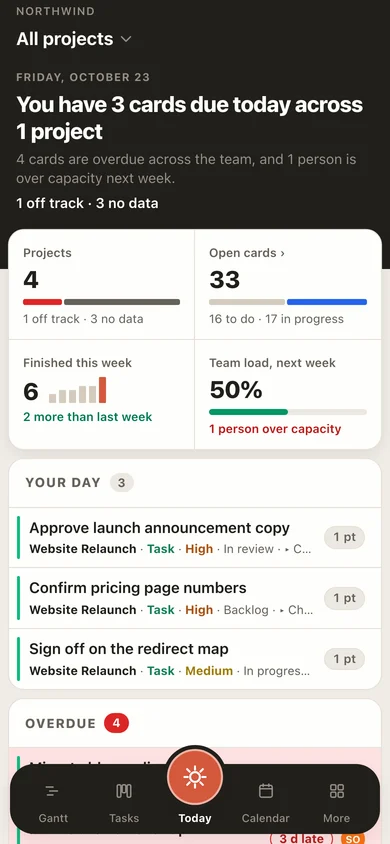
EverGantt on a phone: today's cards and what is overdue
Phone

Fits in your pocket.

Don’t settle for a desktop-only suite. Take EverGantt with you on the go.

EverGantt on a phone: the Today screen with cards due today and what is overdue
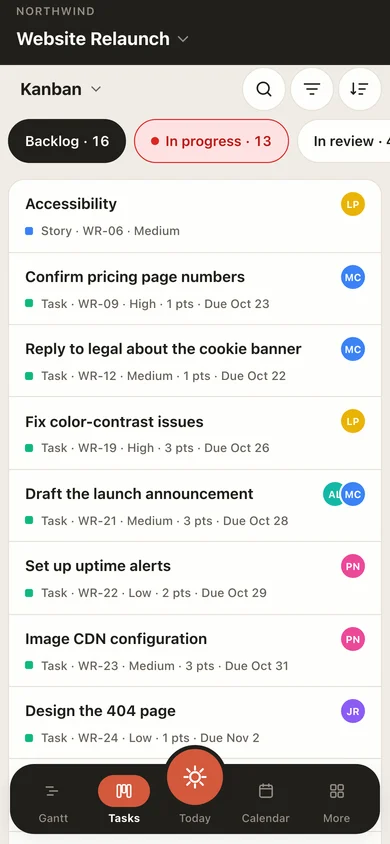
EverGantt on a phone: the Kanban board
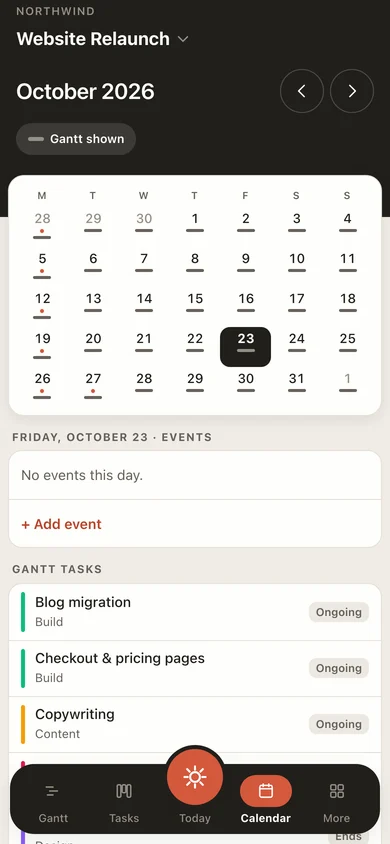
EverGantt on a phone: the calendar with the day list

Features

Up close with the tools you’ll use every day.

Hover a card to take a closer look. Click it for the full picture.Tap a card for the full picture.

01Plan Explore

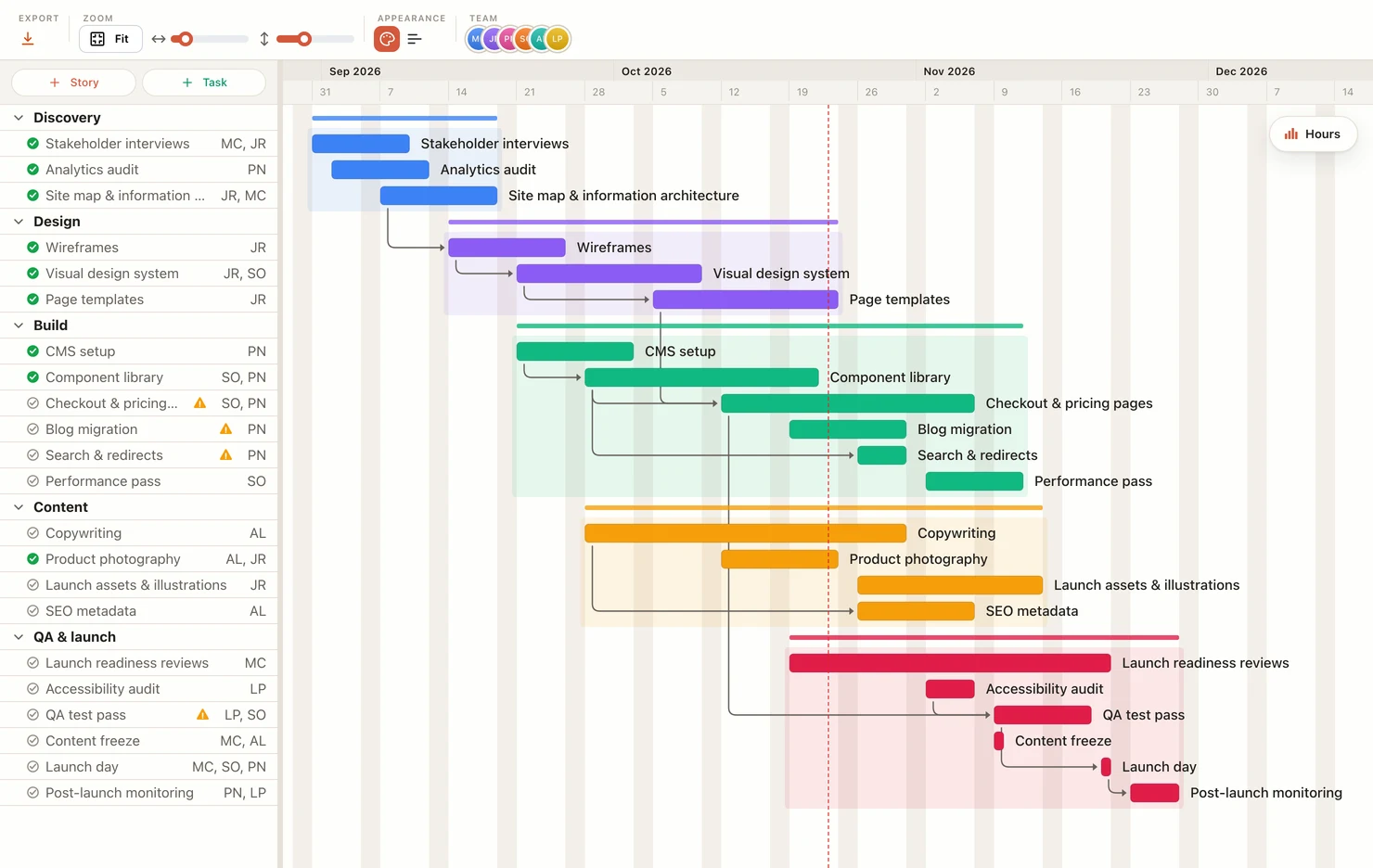
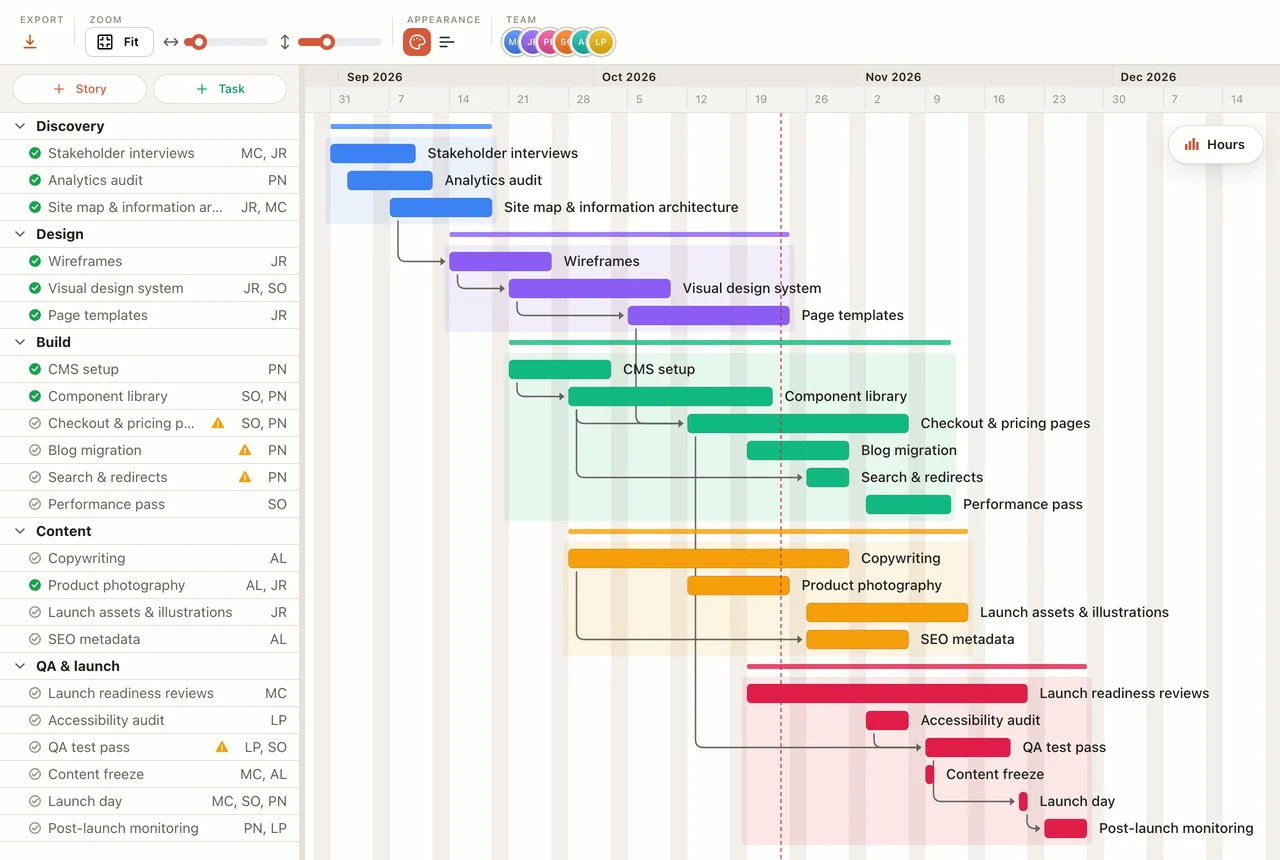
Gantt chart with dependencies

A timeline of the whole project. Break work into stories and tasks, link tasks that depend on each other, and track progress.

Component library unblocks Checkout and Search
02Board Explore

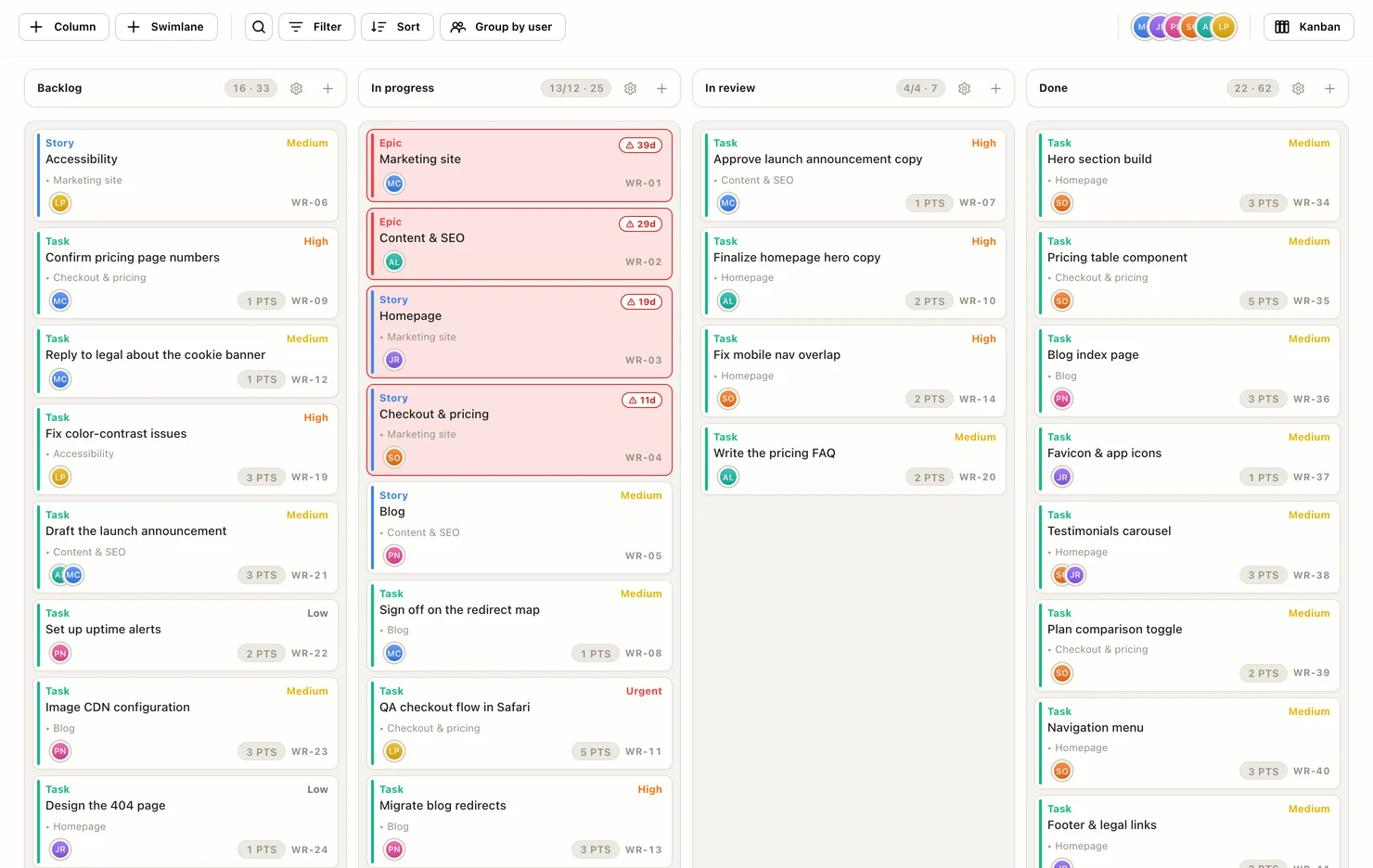
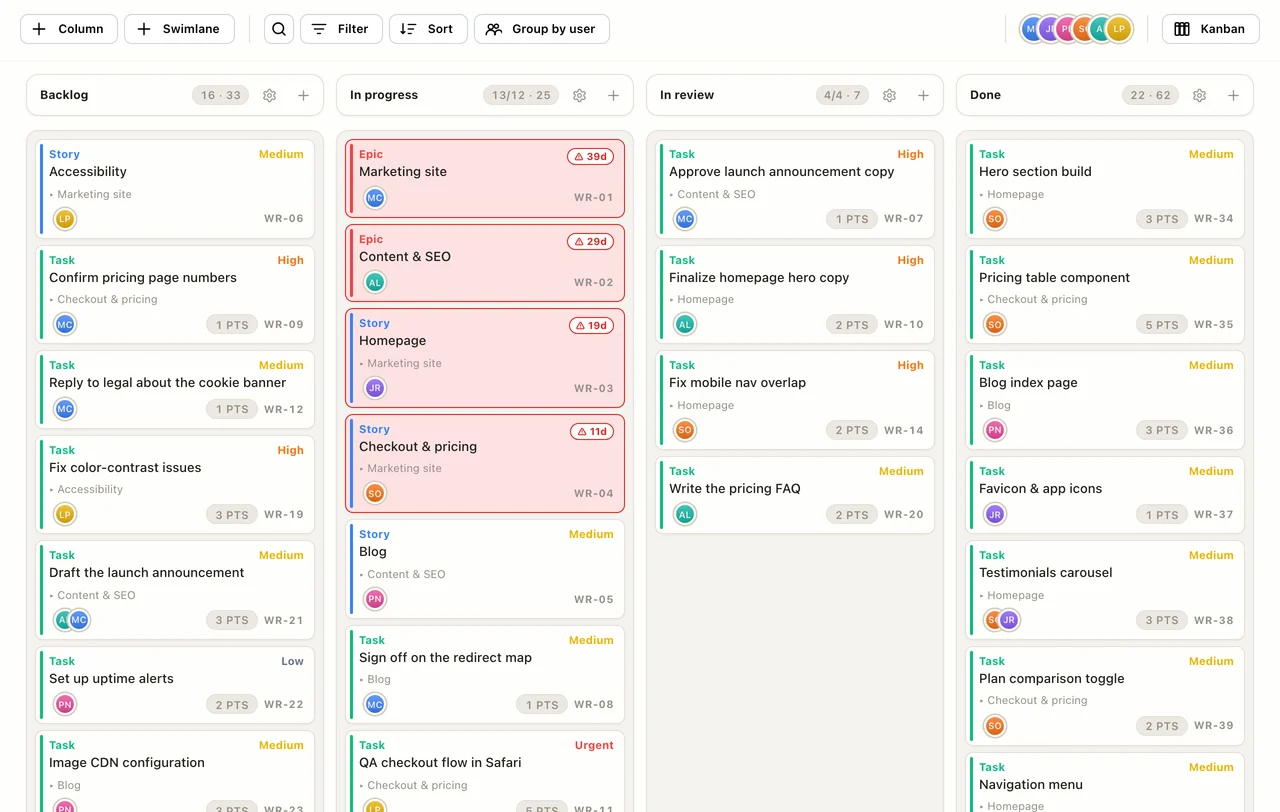
Kanban and Scrum boards

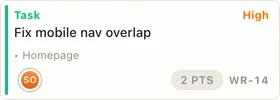
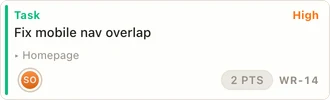
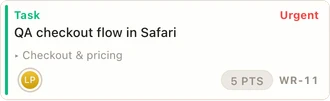
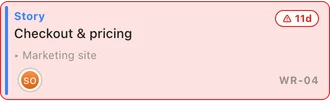
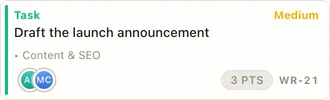
Each card shows its type, priority, points, owner and parent story, so you can read the board without opening cards.

WR-14 · High · Sam Okafor
03Calendar Explore

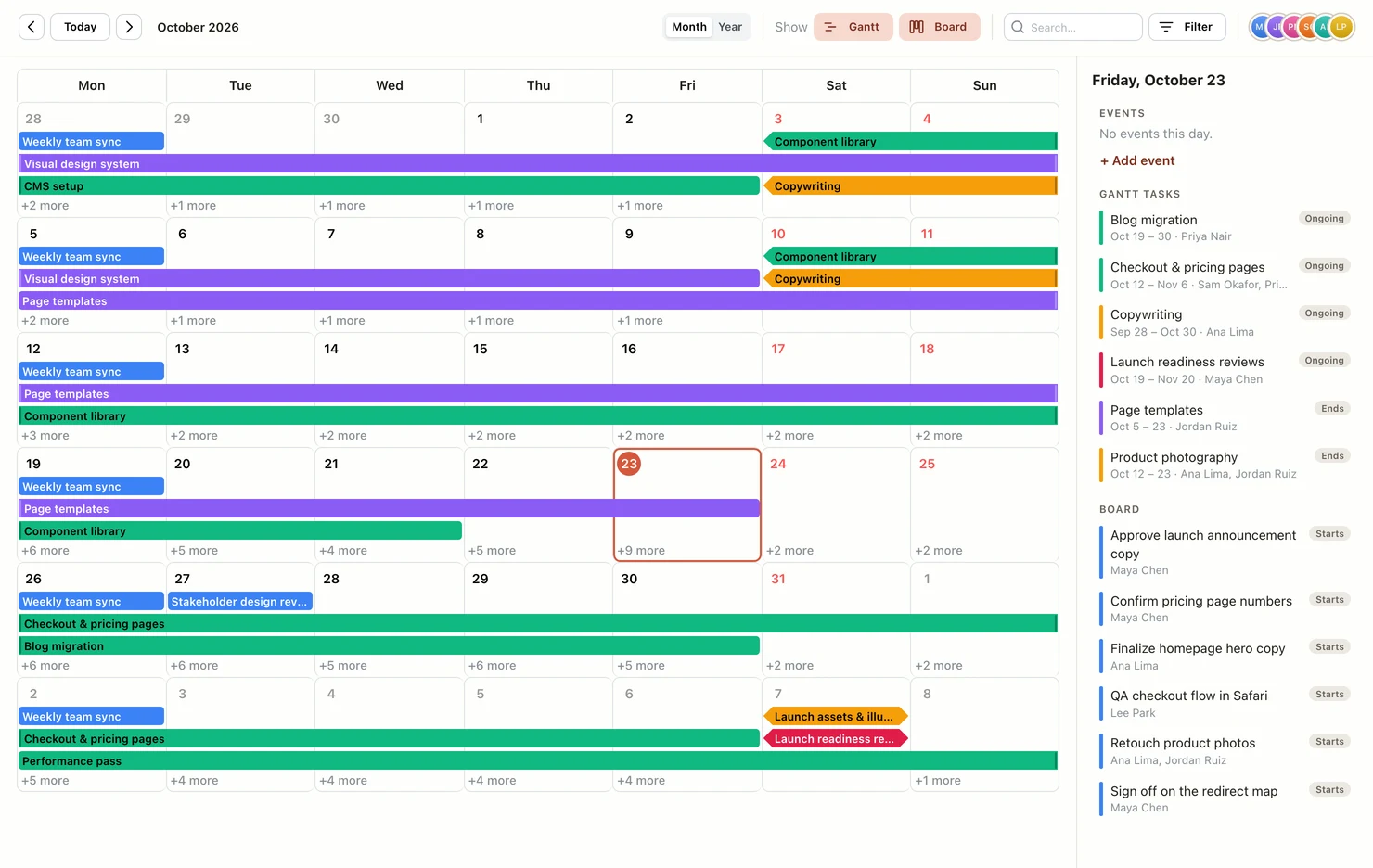
Team calendar

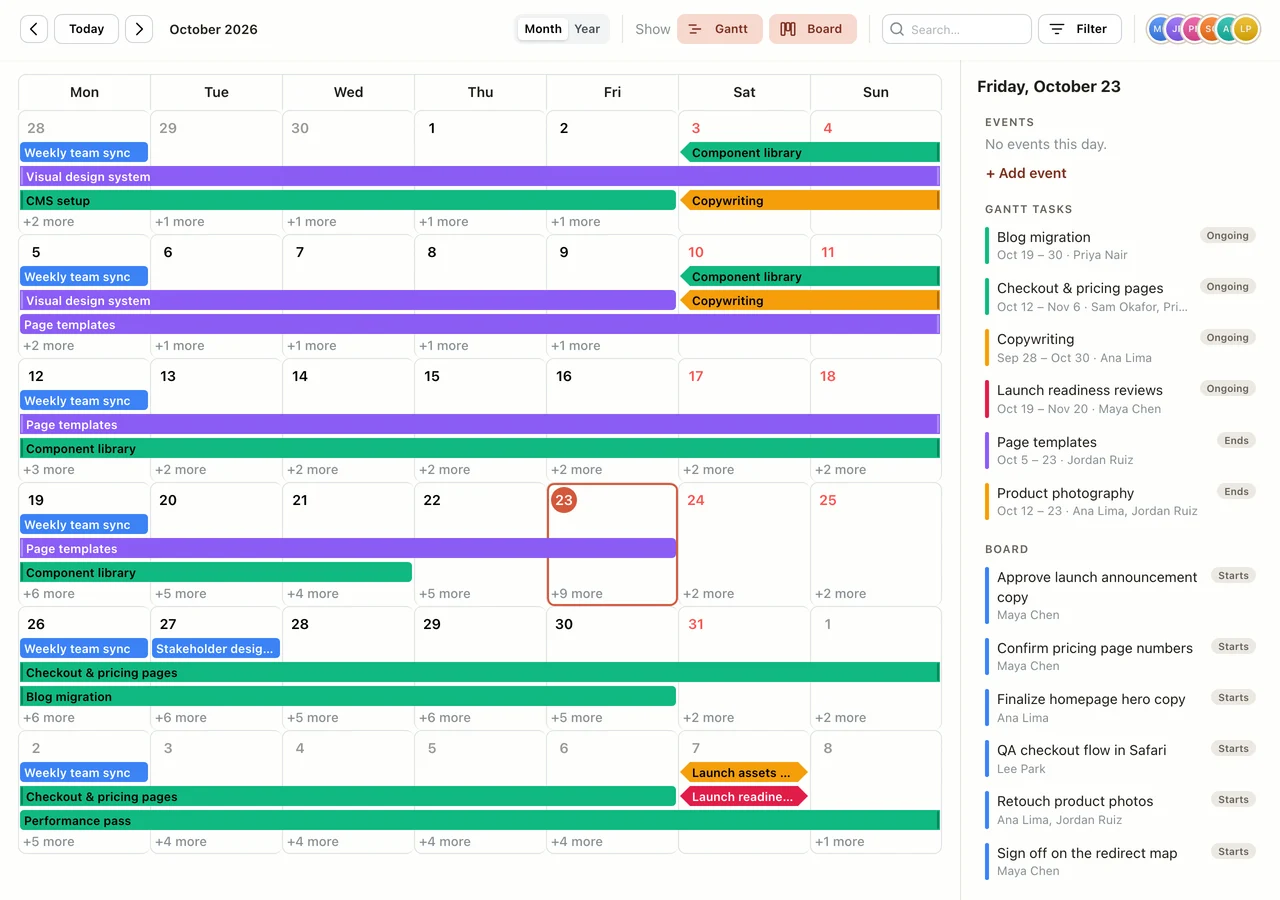
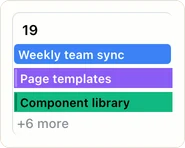
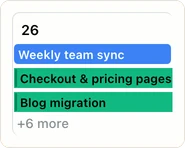
Calendar events and Gantt tasks in one month view, with the day you pick listed beside it.

Friday, October 23 · what is on that day
04Insights Explore

Project and team dashboard

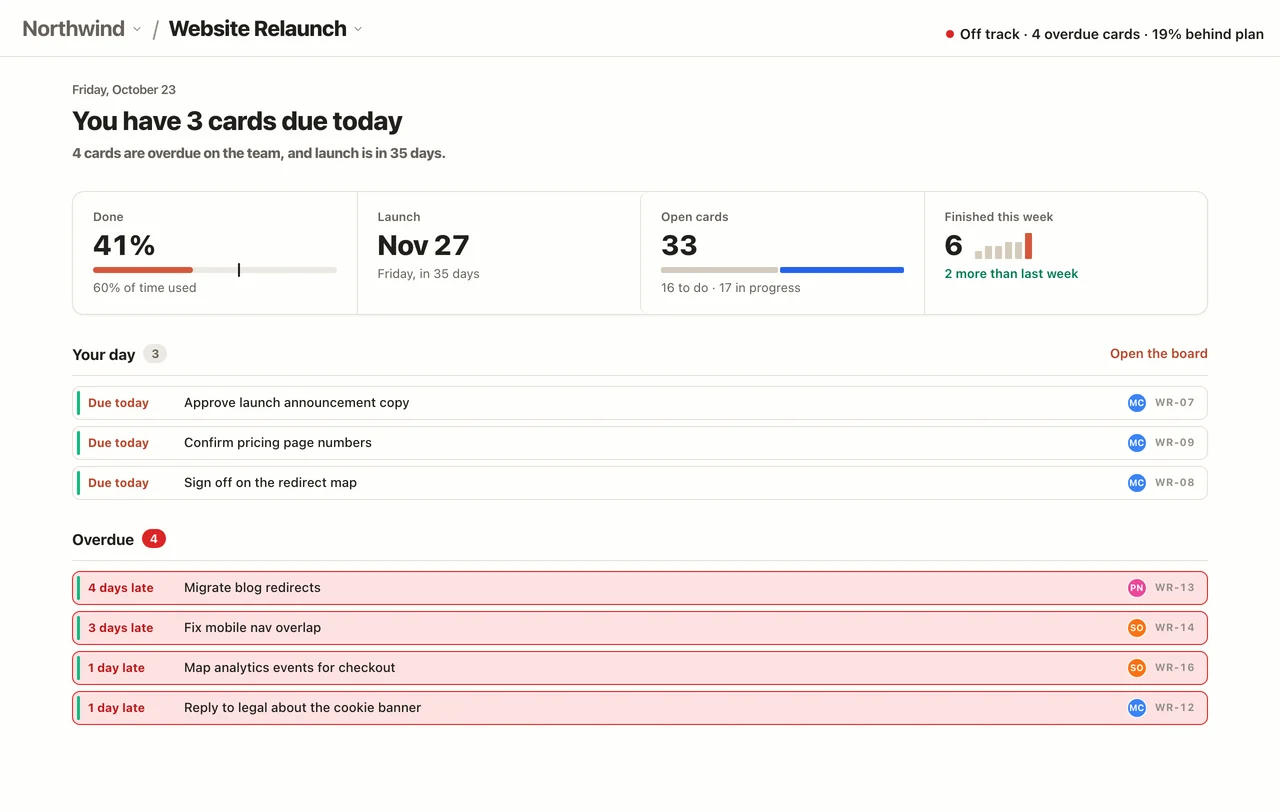
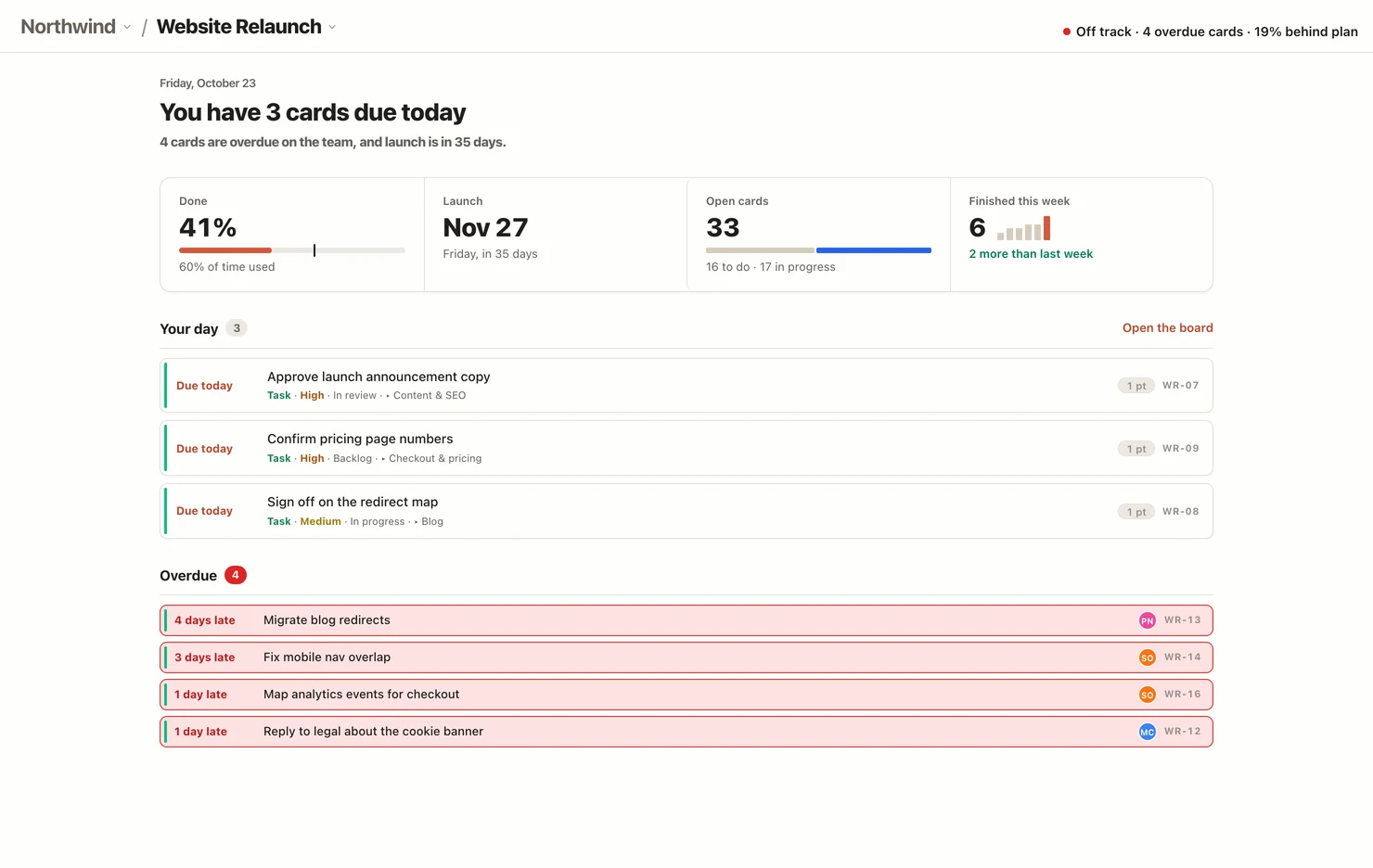
One page per project with a red, amber or green health status and its reasons, your cards due today and the overdue ones. The team dashboard rolls open, finished and overdue cards up across every project, with a red, amber and green count.

Why it’s off track: 4 overdue cards, 19% behind plan
05Notes Explore

Shared team notes

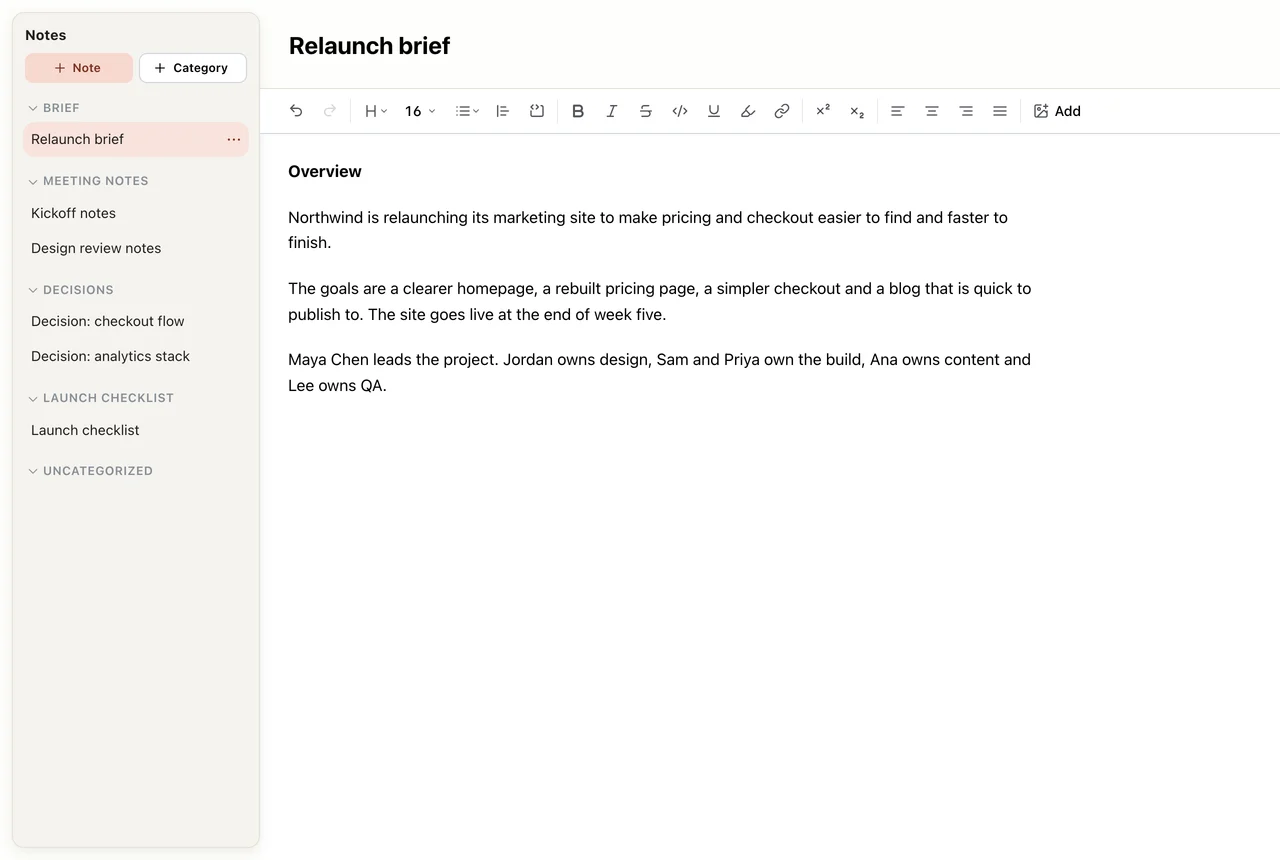
Notes live with the project, in categories everyone on it can see, so the brief and the decisions sit next to the plan.

Brief · Meeting notes · Decisions · Launch checklist

Details

The parts you use every day, up close.

Real pieces of the tool, captured from the app, not drawn for the website.

Board

Read the board without opening a card.

Type, priority, points, owner and parent story sit on the card itself. Codes like WR-14 make stand-ups quick.

Plan

Dependencies move together.

Link tasks that wait on each other. Drag one and the arrows tell you what shifts.

Team

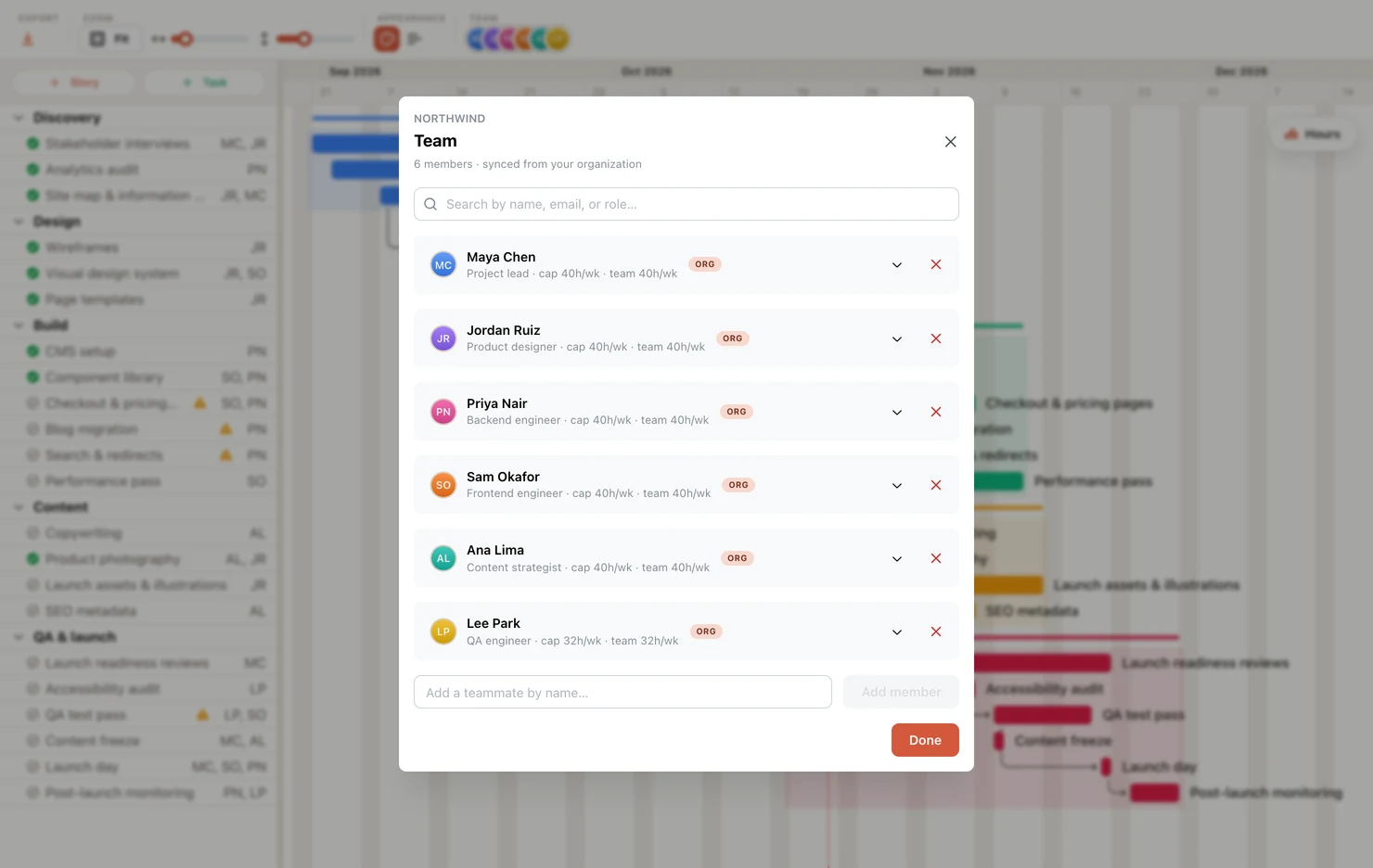
See who is over capacity before it bites.

Booked hours for each person, week by week, against their capacity. Red past 100%.

Dashboard

One page says where the project stands.

Done, launch date, open cards and this week’s finishes in one strip. Under it, the cards due today and the ones that are late. No widgets to arrange.

Built to stick

The best project management tool is the one your team doesn’t quietly abandon.

Most platforms are sold to the buying committee, then quietly routed around six months later because keeping them updated feels like a second job. We build for the opposite end.

The usual suite

  • Built for the buying committee, dashboards over daily work
  • Per-seat pricing that punishes you for adding people
  • Months to roll out, a manual to read
  • Quietly abandoned by month six

EverGantt

  • Built for the person doing the work, every day
  • Free to build & export · $3.99/mo to save
  • A complete suite, running in minutes
  • Light enough that it actually sticks

Up to speed in minutes

Focus on your project, not our tool. Open a tab, start a plan, share the export.

A single source of truth

Everyone in one place: schedule, tasks, notes, calendar. Accessible anywhere.

No downloads, no installs

Not another icon on your desktop, not another tool to install. Use it when you need it, close the tab when you don’t.

Honest pricing

Fair price. No per-seat games.

Free to build & export. Pick the plan that fits — individual or whole team.

Pro

For 1 — cloud-save & open your own projects from any browser.

Monthly

$3.99/user / mo

Billed monthly

Get Pro

Team covers up to 5 people and Business up to 20, all under one subscription. Compare plans →

Need more than 20? Contact us →

Students & nonprofits get Pro, Team, or Business free. Currently enrolled or a registered nonprofit? It’s on us. See if you qualify →

Questions, answered.

What can I do for free?

Build, edit, and export your plans in the browser, free, forever, no credit card. Saving them to the cloud to pick up later is what Pro adds; bringing in a team is what Team and Business add.

What does $3.99/mo cover?

Cloud save for one person. Your projects are saved so they’re there next time, and you can open them from any browser, for $3.99 a month. Inviting teammates and editing together in real time are on the flat-rate Team and Business plans: one price for the group, not a per-seat bill that grows with every hire.

Is it powerful enough for real work?

EverGantt is a complete project management suite, not a toy. It handles real plans and real teams today, and we’re adding capabilities continuously.

Do I need to install anything?

No. It runs in any modern browser, nothing to download, nothing for IT to approve.

Will my team actually use it?

That’s the whole design goal. Minimal busywork and instant updates mean the plan stays current instead of drifting into side spreadsheets.

Plans move fast. So do we.

Start your plan in the next five minutes, free to build & export, $3.99/mo to save.

Start Now →