
EverGantt vs Microsoft Project: the simpler, cheaper alternative
Published May 5, 2026 · Updated September 22, 2026
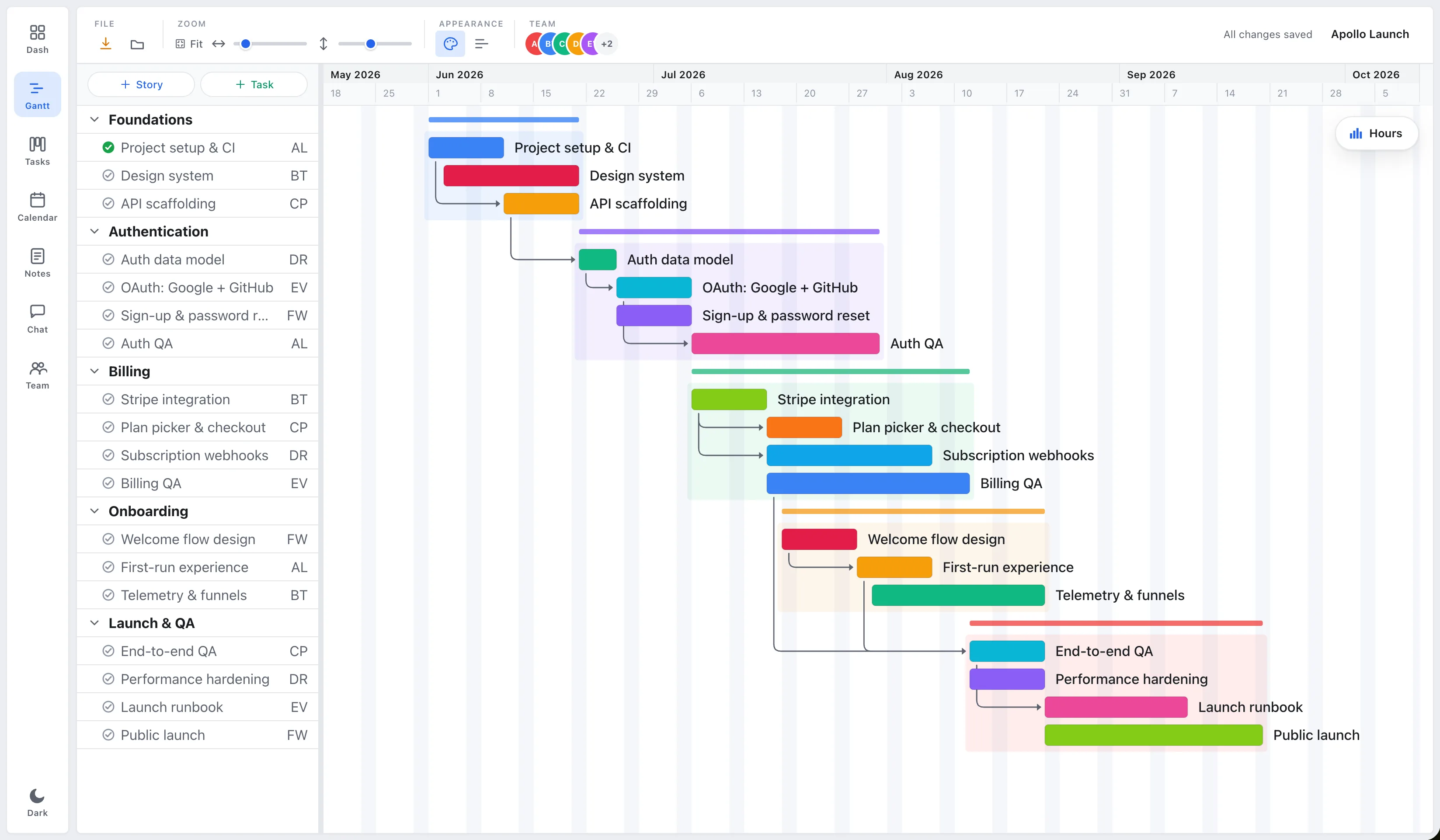
Short answer: If you’re a small team that mainly needs schedules, Gantt charts, dependencies, and a view of who’s overloaded, EverGantt does that in the browser on one flat-rate Team plan for the group, typically far less than Microsoft Project’s per-user plans, and with a gentler learning curve. If you need baselines, earned-value analysis, critical-path resource leveling, or enterprise portfolio management, Microsoft Project is still the more capable tool.
Microsoft Project has been the default project-management software for decades. It’s powerful, deep, and built for large organizations running formal project portfolios. That power is exactly why it’s overkill, and overpriced, for a five-person studio that just needs a plan everyone can see.
EverGantt vs Microsoft Project at a glance
| EverGantt | Microsoft Project | |
|---|---|---|
| Price | Pro $3.99/mo or $39/yr (1 user); flat-rate Team and Business plans for groups | ~$10–$55/user/mo (annual), by plan |
| Free tier | Yes, build, edit, export | No (30-day trial only) |
| Gantt charts | Yes | Yes |
| Real-time team co-editing | Yes (Team and Business plans) | Limited (web); desktop is single-file |
| Runs in the browser | Yes (Mac + Windows) | Web yes; full client is Windows-only |
| Seat minimum | None | None, but priced per plan tier |
| Learning curve | Light | Steep |
Pricing as of May 2026. Check the current Microsoft Project pricing page for the latest.
For a team of 5 over a year, EverGantt’s Team plan covers all five people under one flat subscription (current pricing). Microsoft Project runs roughly $600/year on Plan 1 or $1,800/year on Plan 3, and there’s no free tier to start from.
Where Microsoft Project is genuinely better
Let’s be honest about what you give up. Microsoft Project earns its price for teams that actually use its depth:
- Baselines and earned-value analysis. Project can snapshot a plan and track planned-vs-actual cost and schedule variance. EverGantt doesn’t do EVA.
- Critical-path and resource leveling. Project’s scheduling engine can automatically level overallocated resources and compute the critical path across complex dependency networks.
- Enterprise portfolio management. Project Online / Project for the web ties into the Microsoft 365 ecosystem for cross-project portfolio reporting, governance, and timesheets.
If your organization runs formal, audited project portfolios, construction, government contracting, large IT programs, those features aren’t bloat. They’re the job.
Where EverGantt is better
For most small teams, the calculus flips:
- Cost. One flat-rate Team or Business subscription for the group (or $3.99/month for one person on Pro) versus $10–$55 per user. No seat minimums, no annual enterprise contract.
- Simplicity. You can build a real schedule in minutes instead of climbing Project’s learning curve. This is the 80% case: the handful of features small teams actually use.
- Real-time collaboration in the browser. On the Team and Business plans, several people edit the same plan at once and see changes live, no checking files in and out, nothing to install. Works on Mac and Windows.
- A free tier. Build, edit, and export charts before paying anything.
Which should you choose?
Choose Microsoft Project if you need baselines, earned-value reporting, automated resource leveling, or enterprise portfolio governance, and you have the budget and time to learn it.
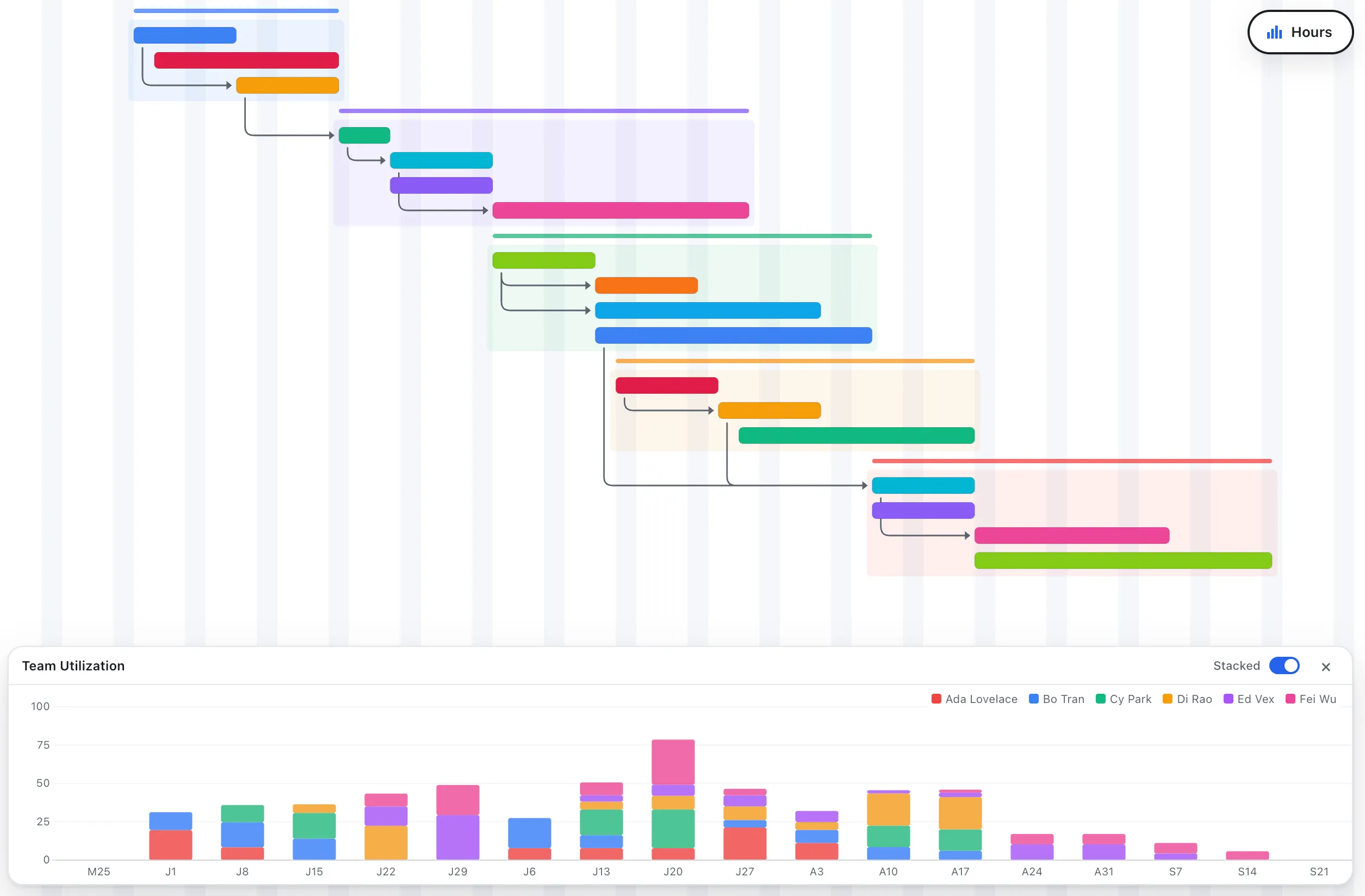
Choose EverGantt if you’re a small team that wants a clear, shared schedule with dependencies and team capacity, kept current in real time, for a fraction of the cost. If you’ve ever felt like you’re paying too much for planning software, this is the gap EverGantt fills.
Start free in your browser, or see the full pricing.
More comparisons: EverGantt vs Asana · vs monday.com · vs TeamGantt · best free Gantt tools.
Frequently asked questions
Is EverGantt a good Microsoft Project alternative?
For small teams that mainly need scheduling, Gantt charts, dependencies, and team capacity, yes. EverGantt runs in the browser, is free to build and export, and supports real-time team collaboration on its flat-rate Team and Business plans; Pro is $3.99 per month for one person. Microsoft Project is the better choice if you need baselines, earned-value analysis, critical-path resource leveling, or enterprise portfolio management.
How much does Microsoft Project cost compared to EverGantt?
As of May 2026, Microsoft Project's cloud plans run roughly $10 (Plan 1), $30 (Plan 3), and $55 (Plan 5) per user per month on annual billing, with no free tier beyond a 30-day trial. EverGantt Pro is $3.99 per month or $39 per year for one person, teams use a flat-rate Team (up to 5 users) or Business (up to 20) plan, and there's a free tier for building, editing, and exporting charts. Always check the current Microsoft Project pricing page before deciding.
Does Microsoft Project run in a browser like EverGantt?
Microsoft Project for the web runs in a browser, but the full desktop client (Project Professional) is Windows-only software you install. EverGantt is fully browser-based on Mac and Windows in Safari, Firefox, and Chrome, with nothing to install.
Can multiple people edit a plan at the same time in EverGantt?
Yes, on the Team and Business plans. EverGantt supports real-time co-editing, so several teammates can edit the same project at once and see each other's changes live. Team covers up to 5 users and Business up to 20, each under one flat subscription; Pro is a single-user plan.